

If you’ve ever run a speed test on your WordPress site, you’ve probably noticed DNS issues creeping up in your results. DNS lookups, while seemingly a small part of your site’s performance, can have a surprisingly big impact on how fast your pages load. Many WordPress site owners notice DNS-related delays, but only a few understand how to address them effectively.
But don’t worry – that’s exactly what we’re covering in this post. We’ll explain how DNS lookups affect your site’s performance, and more importantly, what you can do about it. We’ll also explore how the right infrastructure, such as BigScoots managed hosting for WordPress and integration with Cloudflare, can help you sidestep DNS issues altogether, delivering lightning-fast performance right out of the gate.
What is a DNS lookup, and how does it work?
DNS, which stands for Domain Name System, is essentially the phonebook of the Internet. When you type a website address into your browser (like www.example.com), the DNS lookup process starts. It translates that domain name into an IP address (like 192.0.2.1) that allows your browser to connect to the website’s server.
But how does this impact your WordPress site? Well, each unique domain referenced by your WordPress site (whether it’s a plugin, theme, font, analytics, or even an ad network) requires its own DNS lookup. This means that if your site pulls resources from multiple external domains, each one will trigger a separate DNS query, resulting in a delay for every new domain your page needs to load.
Here’s how it works step-by-step:
- The browser starts with a query: When a user visits your site, the browser checks if it already knows the IP address for the domain it’s trying to reach. If not, it sends a DNS request to the local DNS resolver.
- DNS resolution process: If the address isn’t cached locally, the resolver will reach out to various servers in the DNS hierarchy.
- First, it checks if the IP is stored in the browser or the operating system’s cache (local cache).
- If not cached, it asks your Internet Service Provider (ISP)’s DNS resolver.
- If still unresolved, the query is passed to the root DNS servers.
- From there, the query moves to Top-Level Domain (TLD) servers (such as .com, .org).
- Finally, the authoritative nameservers for the domain return the IP address.
- Caching the result: Once the IP address is resolved, it’s sent back to your browser, which can now connect to the site. The response is then cached for a set period, determined by the Time-to-Live (TTL) value, so future requests don’t need to go through the full process again.
Although many of your site’s resources might be served from DNS caches, the remaining lookups, especially for external domains, can still significantly affect page load times. On average, DNS lookups take anywhere from 20ms to 120ms, but this can be even longer with slower DNS providers or when a domain is not cached.
A faster DNS provider can drastically reduce this lookup time. Cloudflare, for instance, is way faster than default ISP DNS servers, ensuring that visitors to your WordPress site get the information they need in no time. That’s why, at BigScoots, Cloudflare is integrated into our managed hosting for WordPress for all our clients, no matter what plan they’re on.
How to measure DNS lookup times with speed testing tools
Before diving into optimizing DNS lookups, it’s essential to first understand how many DNS queries your WordPress site is making and how long they take. Luckily, there are several tools available to help you measure DNS lookup times:
Using Pingdom
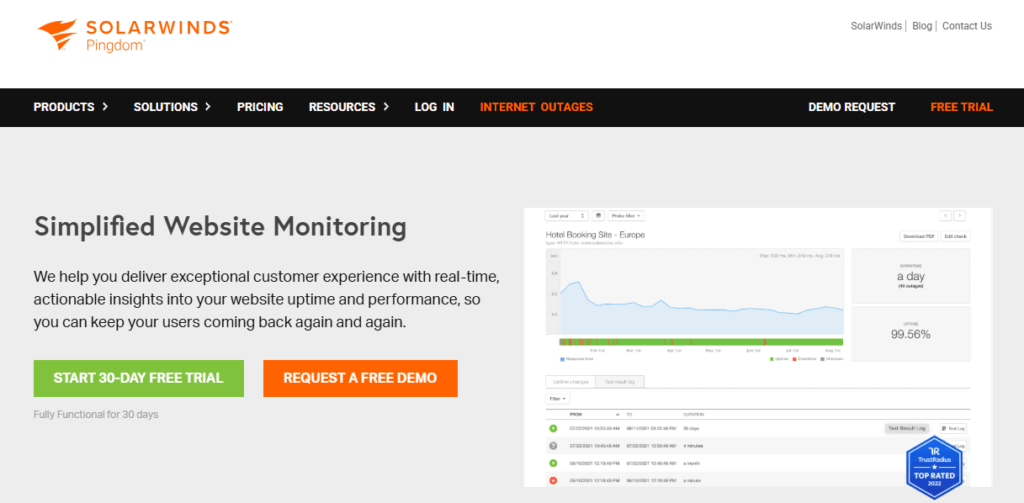
Pingdom is one of the most widely used speed test tools, offering an intuitive interface that allows you to analyze how your site loads and where performance bottlenecks might lie. When you run a Pingdom speed test, you’ll be presented with a waterfall chart, which visually breaks down every request your site makes, whether that’s to external resources or your server.
In the waterfall chart, the DNS lookup phase is represented by a pink bar. By hovering over each request, you can get the exact DNS lookup duration for that particular resource. This gives you a clear picture of how much time is being spent on DNS resolution.
If you want to get more granular with your results, you can click on the “Content” tab and filter by “DNS” to identify which external domains are causing repeated lookups. Keep in mind that if you’re running multiple tests from the same location, you might see faster DNS times due to caching. For the most accurate results, it’s a good idea to clear your cache or run the test in an incognito window.
Using WebPageTest
WebPageTest offers a deeper level of detail compared to other tools. After running a test, you can switch to the “Details” view and examine the request waterfall for each individual resource. WebPageTest clearly displays the DNS lookup time for each request, which is valuable for understanding how long your site’s DNS queries take.
Additionally, WebPageTest allows you to sort or filter the waterfall chart by DNS lookup time, so you can pinpoint the domains that are causing slowdowns. Another powerful feature of WebPageTest is its ability to test your site from multiple global locations and on different devices. This is especially helpful if you want to see how DNS performance varies across different regions, since slower DNS lookup times can be more noticeable in certain geographic areas.
Interpreting your results
It’s useful to have a reference for what constitutes good and bad performance:
| Scenario | Typical response time |
| Local/cached lookup | < 5 ms |
| Standard lookup (external, uncached) | 20–120 ms |
If you’re seeing DNS lookup times consistently above 100 ms, it may be time to investigate further. For first-time visitors or non-cached lookups, anything significantly above 120 ms can feel like a noticeable delay, which can directly impact page load times.
9 Proven Techniques to Reduce WordPress DNS Lookups
Use a fast DNS provider
The choice of DNS provider can have a significant impact on how quickly DNS lookups are resolved. Some DNS providers are much faster than others, and many websites rely on default DNS services provided by their hosting providers or ISPs, which often have slower resolution times.
One of the fastest DNS providers globally is Cloudflare. According to DNSPerf, Cloudflare consistently delivers the quickest DNS resolution times. That’s a far cry from the several hundred milliseconds it might take for slower DNS providers to return results.
At BigScoots, we integrate Cloudflare DNS into our hosting infrastructure by default. This means that no matter what plan you’re on, you’re benefiting from Cloudflare’s industry-leading DNS performance, helping to reduce DNS lookup times right from the start.
Reduce the number of hostnames
Every unique domain or subdomain your WordPress site references requires a separate DNS lookup. Whether it’s external resources like images, scripts, fonts, or analytics tools, each unique domain means a separate DNS resolution process. The more external domains your site references, the more DNS lookups are triggered.
To minimize DNS lookups, audit the external resources your site is using. Consolidate resources wherever possible by hosting them on fewer domains or merging multiple subdomains into a single one. This strategy reduces the overall number of lookups required to load your site.
Tip: Use your browser’s developer tools to analyze the external requests on your site. Ask yourself if every external request is truly essential, or if you can combine resources or eliminate some altogether.
Avoid plugins that add unnecessary external requests
WordPress plugins are fantastic for adding functionality, but many plugins come with hidden performance costs. A lot of plugins, especially those related to analytics, social sharing, or ads, often load scripts or assets from external domains. Each of these external domains adds an additional DNS lookup, contributing to slower load times.
Before installing a new plugin, always review whether it makes external requests. Audit your current plugins and consider removing or replacing any that introduce excessive external dependencies. Choosing plugins that minimize external requests or allow you to disable them can help reduce DNS lookups.
Implement DNS prefetching
DNS prefetching allows browsers to proactively resolve domain names before the user clicks on a link or loads an external resource. Essentially, it’s a way to “pre-load” DNS records so that when the user needs those resources, the domain has already been resolved and is ready to load.
This can drastically reduce wait times for resources that are likely to be used soon, such as analytics scripts, fonts, or external APIs. However, it’s important to remember that prefetching is just a hint to the browser; it doesn’t guarantee that the lookup will be performed ahead of time.
To implement DNS prefetching, add the following code snippet to your site’s <head> section for each external domain you want to prefetch:
<link rel=”dns-prefetch” href=”//example.com”>
This simple addition can reduce DNS lookup times when those external resources are eventually needed.
Adjust Time to Live (TTL)
The TTL value dictates how long DNS records are cached by browsers and DNS resolvers. By increasing the TTL for your DNS records, you reduce the frequency of DNS lookups, as the records will be cached for longer periods.
Setting a longer TTL is particularly useful for domains that don’t change often. For example, your main site’s DNS records or CDN (Content Delivery Network) endpoints likely don’t need frequent updates, so setting a higher TTL reduces unnecessary DNS lookups for these resources.
While longer TTLs can improve performance by reducing the frequency of DNS queries, it’s important to strike a balance. If you change your DNS records often (such as switching CDN providers or changing IP addresses), a shorter TTL might be more appropriate.
Enable keep-alive connections
Keep-alive connections allow a single network connection to be reused for multiple HTTP requests, rather than opening a new connection each time. This can significantly improve performance by reducing the overhead of establishing new connections and avoiding repeated DNS lookups for the same domain.
When keep-alive is enabled, a browser can reuse the same connection for all the assets (such as images, scripts, and stylesheets) coming from a particular domain. This reduces the need for multiple DNS lookups and connection setups, making page loads faster.
Enabling keep-alive is typically a server-side configuration, but many hosting providers, including BigScoots, ensure that keep-alive connections are enabled by default for all clients.
Host third-party resources locally
Every external resource loaded by your site, such as fonts, libraries, or third-party APIs, requires a DNS lookup. While using services like Google Fonts or Font Awesome can be convenient, each of these external requests introduces another DNS lookup.
To eliminate this overhead, you can download and host these third-party resources locally on your server. This way, you bypass the need for DNS lookups when loading these assets and gain greater control over performance.
Tip: For high-traffic sites, prioritize self-hosting essential resources like fonts or critical JavaScript libraries to reduce DNS lookup times and improve site performance.
Minimize CNAME record chains
CNAME records are used to map one domain to another. While they are useful in certain scenarios, chains of CNAME records can slow down DNS resolution. Each additional CNAME in a chain adds another step in the lookup process, resulting in longer DNS resolution times.
Where possible, use A records for root domains and avoid chaining multiple CNAME records together. This helps streamline DNS resolution and improves site performance.
By simplifying your DNS setup and minimizing unnecessary CNAME records, you can reduce the number of steps required for DNS resolution, leading to faster lookups.
Defer and optimize JavaScript loading
While this doesn’t directly reduce DNS lookups, optimizing how JavaScript loads can have an indirect effect on DNS resolution. Deferring non-essential JavaScript ensures that critical resources, including those that require DNS lookups, are prioritized for faster loading.
Using the defer or async attributes on non-critical scripts can ensure that they load after essential resources, minimizing any delays caused by DNS lookups for those scripts. That way, you allow your browser to focus on resolving DNS for the most important resources first, speeding up the overall page load.
How BigScoots’ managed hosting for WordPress with built-in CDN minimizes DNS lookups
When it comes to optimizing DNS lookups for your WordPress site, sometimes the best solution is not to do it all yourself. At BigScoots, we offer a fully managed hosting for WordPress solution that handles DNS optimizations automatically, ensuring your site performs at its best without you needing to dive into the technical details. We take care of all the technical details as part of our managed hosting for WordPress services, so you don’t need to manually configure DNS settings or optimize resources yourself. This ensures that your WordPress site is running at peak performance right out of the box, leaving you free to focus on what matters most: running your business.
Cloudflare’s DNS resolution is fast and reliable, and provides the best performance compared to other DNS providers. That’s why, at BigScoots, we integrate Cloudflare DNS into every hosting plan, ensuring that your WordPress site benefits from the fastest DNS lookup speeds on the market, averaging just 15.62 ms globally.
Along with this, our built-in CDN consolidates multiple external requests into a single domain. Instead of making separate DNS lookups for each external resource like fonts, analytics, or third-party scripts, the CDN serves many of these through a single connection, which results in fewer DNS queries overall and faster load times.
Speed up your WordPress site today with optimized DNS performance
Reducing DNS lookups is one of the most effective ways to boost your WordPress site’s speed, improve your Core Web Vitals, and enhance overall user experience.
For WordPress site owners who want all these benefits without the technical headaches, our managed hosting for WordPress (with built-in Cloudflare DNS and CDN) is the perfect solution. No need to worry about configuring DNS settings or optimizing external resources manually – our expert team takes care of everything for you. With BigScoots, you can focus on your content and business, while we handle the technical side of ensuring your site performs at its best.
Ready to experience faster WordPress performance and superior DNS optimization? Explore BigScoots’ managed hosting for WordPress today and take your site speed to the next level!